
Hey! I'm Shahid Saddique
Senior DevSecOps Consultant | Automating Cloud & Embedded Infrastructure
I'm available for hire
Social
Hire meAutomating Veracode SAST Pipeline Scans in CI/CD
Accelerating application security testing by shifting vulnerability remediation cycles directly into containerized build runners.
The Architectural Challenge: Eliminating Pipeline Latency
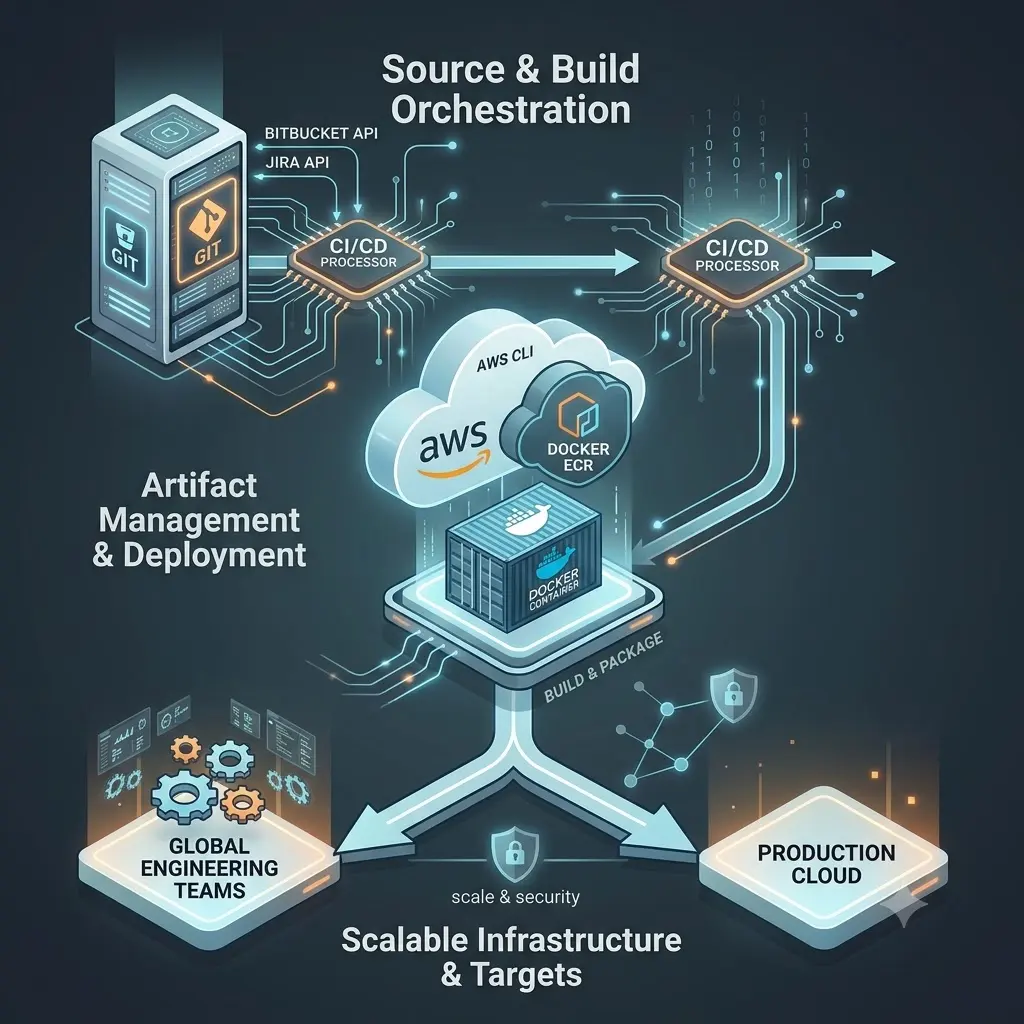
Traditional Static Application Security Testing (SAST) policy scans often introduce heavy bottlenecks within modern development teams. Waiting for a cloud-based platform upload to complete during a rapid code change breaks compilation velocity. To achieve true embedded DevSecOps automation, engineering teams must decouple rapid validation from compliance gates by executing localized, high-speed security assessments during pull requests.
The solution is the Veracode CLI toolchain via the local Pipeline Scan engine. By evaluating code flaws inside a temporary container runner, developers get real-time feedback within seconds, allowing them to fix flaws before their branch merges into production infrastructure.
Containerized Veracode Pipeline Scan Configuration
The following shell script executes inside an ephemeral Docker container to download the latest pipeline core utility wrapper, pull environmental variable keys safely, and evaluate the artifact repository.
# Local Pipeline Scan Automation Script
echo "Retrieving latest Veracode CLI automation utility wrapper..."
curl -sS -O https://tools.veracode.com/jars/pipeline-scan.jar

echo "Executing containerized application security testing toolchain..."
java -jar pipeline-scan.jar \
  --veracode_api_id "$VERACODE_API_ID" \
  --veracode_api_key "$VERACODE_API_SECRET" \
  --file "target/production-build-artifact.war" \
  --fail_on_severity "Very High, High" \
  --json_output_file "results.json"
Managing Break-Build Rules & False Positives
A major friction point when integrating application security testing tools is managing false positives. If a generic rule flags a piece of code that has mitigating environment controls, the pipeline breaks unnecessarily. To solve this, our automation framework reads an external configuration file containing verified rule mitigations.
By passing the --baseline_file flag to the Veracode CLI command line script, existing vulnerabilities are automatically checked against historical approvals. This keeps development teams moving forward cleanly without losing tracking accountability.
Frequently Asked Questions
What is the difference between a Veracode Policy Scan and a Pipeline Scan?
A Policy Scan evaluates application security against an organization's strict corporate compliance criteria, reporting data directly back to the cloud dashboard for auditing. A Pipeline Scan is optimized for rapid execution inside temporary build environments, offering fast, localized JSON results without impacting official metrics.
How do you automate vulnerability remediation notifications?
By running a custom Python parser against the generated results.json artifact, our framework extracts flaws in real time and automatically pushes notification events straight to the Jira API or active engineering communication streams, closing the discovery loop instantly.
Can you execute security pipeline automation locally?
Yes. Because the scanning component is distributed as a lightweight Java executable, any local development environment running verified access token variables can perform identical container tests prior to initiating a remote pull request.